
Table of Contents
- Why Your Profile Picture Makes or Breaks Your Page
- What Makes a Great OnlyFans Profile Photo
- Profile Picture vs Banner: What Goes Where
- Photography Tips for Your Profile Picture
- Editing Your Photos for Maximum Impact
- Anonymous Creator Profile Picture Tips
- Updating Your Profile Picture for Seasons and Promos
- Common Profile Picture Mistakes
- How JP Management Optimizes Creator Profiles
Your OnlyFans profile picture is the single most important visual element on your entire page. Before a potential subscriber reads your bio, scrolls through your feed, or checks your subscription price, they see your profile photo. That one image shapes their first impression and directly influences whether they click subscribe or keep scrolling. In a platform with millions of creators competing for attention, the difference between a forgettable thumbnail and a magnetic profile picture can mean thousands of dollars in monthly revenue.
Despite how much weight this one image carries, many creators treat their profile picture as an afterthought. They upload a random selfie, use an over-filtered photo that looks nothing like their actual content, or choose an image that blends into the crowd. This guide breaks down exactly what makes the best OnlyFans profile photo, how to shoot and edit it properly, and the strategic decisions that turn your profile picture into a subscriber magnet.
Why Your Profile Picture Makes or Breaks Your Page
On OnlyFans, your profile picture appears everywhere. It shows up in search results, recommendation lists, direct messages, and social media link previews. Every time a potential subscriber encounters your page on any platform, your profile picture is the first thing they process. Research on visual attention shows that people form judgments about an image within milliseconds, which means your profile photo needs to communicate quality, personality, and appeal almost instantly.
Think of your OnlyFans profile picture as the storefront window of your business. A retail store with a messy, poorly lit display will struggle to attract foot traffic no matter how good the products inside are. The same principle applies to your OnlyFans page. A blurry, dark, or generic profile picture signals to potential subscribers that the content behind it might be equally low effort. Conversely, a sharp, well-composed, and visually striking profile photo tells visitors that you take your content seriously and that subscribing to your page will be worth their money.
Your profile picture also plays a critical role in brand recognition. As you market your OnlyFans across social media platforms, your profile photo becomes the visual anchor that ties all your promotional efforts together. When fans see your face or silhouette consistently across Twitter, Instagram, Reddit, and OnlyFans itself, they build familiarity and trust. That recognition compounds over time, making every piece of promotion more effective because people already associate your image with your brand.
From a practical standpoint, the OnlyFans profile picture displays as a circle, which means the composition requirements differ from a standard rectangular photo. Creators who do not account for the circular crop often end up with awkwardly framed images where important elements are cut off at the edges. Understanding this technical detail is fundamental to getting your profile photo right.
What Makes a Great OnlyFans Profile Photo
The best OnlyFans profile photos share several characteristics that work together to capture attention and communicate value. Understanding these elements helps you make intentional choices rather than relying on guesswork.
Clarity and sharpness. Your profile picture should be crisp and in focus. Blurry or pixelated images immediately undermine your credibility. Use the highest resolution your camera offers and make sure the autofocus is locked on your face or the primary subject of the image. A sharp photo signals professionalism even before a subscriber looks at your content.
Strong composition within the circle. Since OnlyFans crops your profile picture into a circle, you need to compose your shot with that frame in mind. Center the most important element of your image, whether that is your face, your eyes, or a distinctive visual, so that nothing critical gets clipped. Leave a small margin around the edges to account for the crop.
Visual contrast and color. Your profile picture needs to pop against the dark background of the OnlyFans interface. Images with strong colors, bright highlights, or bold contrast stand out in search results and recommendation feeds. Muted, dark, or low-contrast photos tend to disappear into the platform layout, making them easy to scroll past.
Personality and emotion. A great profile photo communicates who you are as a creator. Whether you project confidence, playfulness, mystery, or warmth, the emotion in your profile picture should match the tone of your content. A genuine smile or an engaging expression draws people in far more effectively than a blank or overly posed look.
Consistency with your brand. Your profile picture should feel like a natural extension of the content on your page. If your feed features bright, colorful aesthetics, your profile photo should match that energy. If your brand is darker and more editorial, your profile picture should reflect that style. Consistency between your profile photo and your content creates a cohesive experience that builds subscriber confidence.
Profile Picture vs Banner: What Goes Where
Many creators confuse the purpose of their profile picture with their banner image, but these two visual elements serve different roles on your OnlyFans page. Understanding the distinction helps you use each one strategically.
Your profile picture is your identity. It is the small circular image that represents you across the entire platform. It should be focused, recognizable, and work well at small sizes. Think of it as your logo. It needs to be instantly identifiable whether someone sees it as a tiny thumbnail in a message notification or a larger circle on your profile page.
Your banner image, on the other hand, is your billboard. It spans the full width of your profile page and provides space to showcase your aesthetic, tease your content style, or display promotional text. The banner is where you can be more creative with composition, include text overlays, or use a wider shot that would not work within the circular crop of a profile picture.
A common mistake is using the same photo for both your profile picture and your banner. This creates visual redundancy and wastes valuable real estate. Instead, use your profile picture to establish who you are and your banner to expand on what subscribers can expect from your page. The two images should complement each other in color palette and mood while serving their distinct purposes.
From a technical perspective, your profile picture should be at least 400 by 400 pixels for optimal display quality. Your banner should be at least 1920 by 480 pixels to look sharp across all devices. Upload the highest resolution versions available to avoid compression artifacts that make your profile look amateur.
Want a Professional Brand Identity for Your OnlyFans?
JP Management helps creators build a complete visual brand, from profile pictures and banners to cohesive content aesthetics. Our team ensures every element of your page works together to attract and retain subscribers. Apply today and elevate your brand.
Photography Tips for Your Profile Picture
You do not need a professional photographer or expensive equipment to take a great OnlyFans profile picture. What you need is an understanding of a few fundamental photography principles that elevate any image regardless of the camera you use.
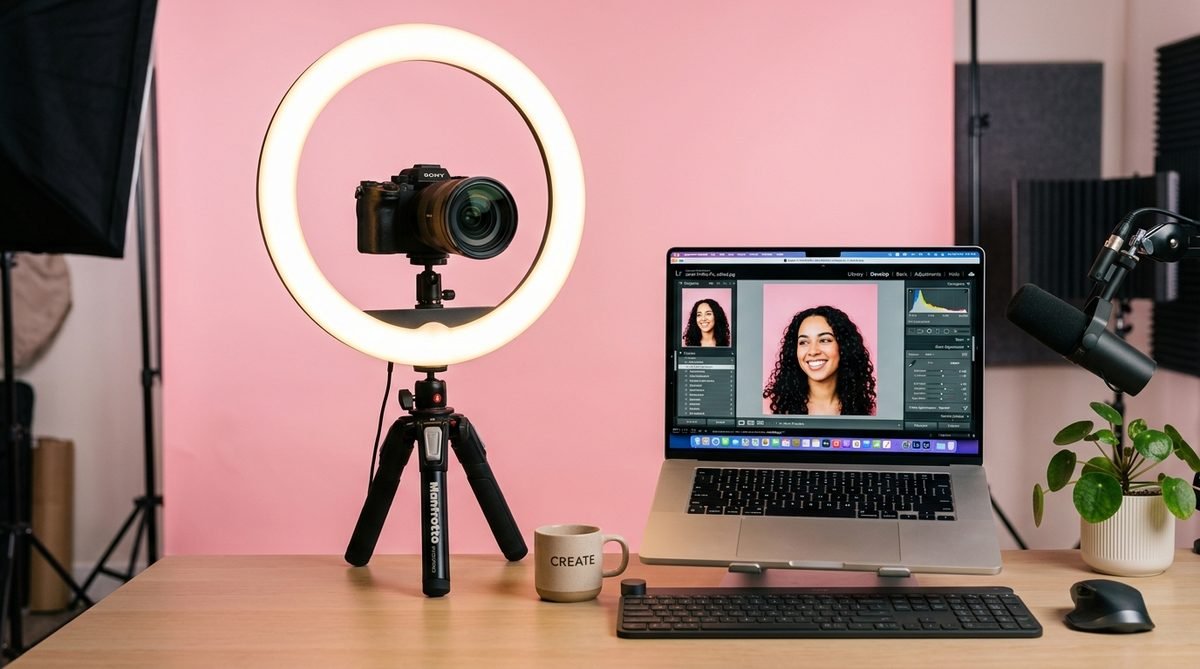
Lighting is everything. Natural light is the most flattering and accessible light source for profile photos. Position yourself facing a window during the golden hour, which is the hour after sunrise or before sunset, for soft, warm light that smooths skin texture and creates a natural glow. If natural light is not available, invest in a ring light or a softbox. The key is to avoid harsh overhead lighting, which creates unflattering shadows under the eyes, nose, and chin.
Find your best angle. Most people have a side of their face they prefer, and angles can dramatically change how you look in a photo. Experiment by taking shots from slightly above eye level, at eye level, and from different sides. A camera positioned slightly above tends to slim the face and make the eyes appear larger, which is why it is the go-to angle for most profile pictures. Avoid shooting from below, as it distorts facial proportions in unflattering ways.
Expression matters more than pose. The most engaging profile pictures capture a genuine emotion rather than a rehearsed pose. Practice in front of a mirror to find expressions that feel natural. A relaxed, confident look or a subtle smile tends to perform better than an exaggerated pout or an overly serious stare. Think about the emotion you want potential subscribers to feel when they see your photo and let that guide your expression.
Background and environment. Keep your background clean and uncluttered. A busy or messy background distracts from the subject and makes the image feel chaotic. A solid-colored wall, a simple textured surface, or a blurred outdoor setting all work well. If your background is not ideal, use a wide aperture setting on your camera to blur it naturally, or clean up the area before shooting.
Use a timer or remote shutter. Holding your phone at arm's length limits your framing options and often results in an awkward composition. Use a tripod or prop your phone on a stable surface and set a timer or use a Bluetooth remote. This gives you the freedom to position the camera at the perfect distance and angle without compromising the shot.
Editing Your Photos for Maximum Impact
Even the best raw photo benefits from thoughtful editing. The goal is not to transform yourself into a different person but to enhance the qualities that make your profile picture stand out while maintaining authenticity. Subscribers who feel deceived by a heavily edited profile picture that looks nothing like your actual content will not stick around.
Apps and tools. For mobile editing, Lightroom Mobile, VSCO, and Snapseed are excellent free or affordable options that offer precise control over exposure, color, and detail. For more advanced retouching, Facetune or Photoshop Express allow targeted adjustments to specific areas of the image. Choose one or two apps and learn them well rather than jumping between multiple tools.
Adjust exposure and contrast. Start by getting the brightness right. If your photo is slightly underexposed, bump up the exposure. Then increase the contrast slightly to make the image pop. This simple two-step adjustment makes a noticeable difference in how professional the photo looks, especially when viewed as a small thumbnail on a phone screen.
Color grading for mood. The colors in your profile picture communicate mood and aesthetic. Warm tones convey friendliness and approachability. Cool tones suggest sophistication and mystery. Adjust the white balance and color temperature to match the mood of your brand. If you have a signature color palette across your content, apply the same tones to your profile picture for visual consistency.
Filters and consistency. If you use a filter or preset, use the same one across your profile picture, banner, and promotional materials. Consistency in editing style is one of the easiest ways to create a polished, professional brand. Avoid trendy filters that age poorly or distort your appearance significantly. The best OnlyFans profile photo edits are the ones that enhance without being obvious.
Sharpening and final touches. Apply a small amount of sharpening to ensure your photo looks crisp on all devices. Be careful not to over-sharpen, which creates an unnatural, grainy look. Finally, crop your image to a square format before uploading, centering the subject so the circular OnlyFans crop works in your favor.
Anonymous Creator Profile Picture Tips
Not every creator wants to show their face on OnlyFans, and that is a perfectly valid choice. Many successful creators operate anonymously while still maintaining strong profiles that attract subscribers. The challenge is creating a profile picture that feels personal and engaging without revealing your identity.
Body-focused compositions. If you are not showing your face, consider a profile picture that highlights another distinctive feature. A shot of your silhouette, a close-up of your hands, a partial body shot from the neck down, or a cropped image showing your jawline and lips can all work effectively. The key is choosing an angle that feels intentional and artistic rather than evasive.
Use props and accessories. Masks, sunglasses, hats, and other accessories can add visual interest to a faceless profile picture while reinforcing your brand identity. If you consistently wear a particular accessory in your content, featuring it in your profile picture creates recognition without facial identification.
Play with lighting and shadow. Dramatic lighting can create a striking profile picture that conceals your identity while looking professional. Backlighting that creates a silhouette, side lighting that leaves half your face in shadow, or colored lighting that obscures details while adding atmosphere are all effective techniques for anonymous creators.
Custom graphics or logos. Some anonymous creators use a designed logo or illustrated avatar as their profile picture. If you go this route, invest in a quality design that looks professional and reflects your content style. A well-designed logo can become a powerful brand asset that fans associate with your page. Just keep in mind that illustrated profile pictures generally convert at lower rates than photos of real people, so weigh the trade-off carefully.
Regardless of which approach you choose, make sure your anonymous profile picture still meets the same standards of quality, composition, and visual impact as a face-forward photo. Being anonymous does not mean being generic. Your profile picture should still communicate personality and give potential subscribers a compelling reason to click through to your page. If you need guidance on how to start an OnlyFans page while maintaining privacy, that decision begins with your profile picture strategy.
Updating Your Profile Picture for Seasons and Promos
Your profile picture does not need to stay the same forever. In fact, updating it strategically can drive renewed interest in your page and signal to existing subscribers that fresh content is on the way. The key is timing your updates to align with meaningful moments rather than changing your photo randomly.
Seasonal updates. Refreshing your profile picture to reflect holidays or seasons keeps your page feeling current and active. A summer-themed photo during warm months, a cozy aesthetic during winter, or a festive look around holidays can attract seasonal traffic and give existing subscribers something new to notice. These updates do not need to be dramatic. Subtle changes in color palette, wardrobe, or setting are often enough.
Promotional tie-ins. When you launch a major content drop, a new subscription tier, or a special offer, updating your profile picture to match the promotion creates visual consistency across your marketing efforts. If you are running a themed campaign, your profile picture should reflect that theme so potential subscribers encounter a cohesive message from the moment they land on your page.
Rebranding moments. If you are evolving your content style, shifting your niche, or repositioning your brand, a new profile picture signals that change to your audience. It tells subscribers that something is different and encourages them to explore your page to discover what has changed. A rebrand without a profile picture update feels incomplete and sends mixed signals.
Testing and optimization. Treat your profile picture like any other piece of marketing material and test different versions to see what performs best. Try different photos for a few weeks each and track whether your subscription rate, page views, or follower growth changes. Data-driven decisions about your profile picture are far more reliable than guessing which photo will attract the most subscribers.
Common Profile Picture Mistakes
Knowing what to avoid is just as important as knowing what to do. These are the most common profile picture mistakes that cost creators subscribers and credibility on the platform.
Using a group photo. Your profile picture should feature only you. Including other people creates confusion about who the creator is and dilutes the personal connection that subscribers are looking for. Even if you crop the image to focus on yourself, leftover arms, hands, or shoulders from other people in the frame look unprofessional.
Heavy filters that distort reality. While light editing enhances your photo, heavy filters that change your skin tone, face shape, or overall appearance set unrealistic expectations. When subscribers discover that your content looks significantly different from your profile picture, they feel deceived. That disconnect leads to higher churn rates and negative feedback.
Low resolution or blurry images. Uploading a small, pixelated, or blurry image signals that you do not care about quality. In a competitive market, this is an immediate disqualifier for many potential subscribers. Always upload the highest resolution version of your photo and double-check how it looks on both mobile and desktop after uploading.
Ignoring the circular crop. Failing to account for how OnlyFans crops your profile picture into a circle results in awkward framing. Important details like text, hands, or accessories get cut off at the edges, making the image look careless. Always preview your photo in a circular frame before uploading to ensure everything important remains visible.
Copying other creators. Imitating a popular creator's profile picture style might seem like a shortcut to success, but it actually works against you. Subscribers notice when a profile picture feels derivative, and it prevents you from establishing your own visual identity. Study what works for successful creators, but apply those principles in a way that reflects your unique personality and brand.
Never updating your photo. Using the same profile picture for years makes your page feel stagnant. Even loyal subscribers appreciate seeing a refreshed look from time to time. If your current profile picture is performing well, you do not need to change it drastically, but periodic updates keep your page feeling active and current.
How JP Management Optimizes Creator Profiles
Your profile picture is one piece of a larger branding puzzle, and getting every piece right requires a strategic approach that most independent creators do not have the time or expertise to execute alone. At JP Management, profile optimization is one of the first things we address when onboarding a new creator.
Our account management team evaluates every visual element of your OnlyFans page, starting with your profile picture. We analyze how your current image performs in terms of click-through rates, compare it against top performers in your niche, and provide specific recommendations for improvement. This is not vague feedback. We tell you exactly what angle, lighting, composition, and editing style will maximize your conversions.
Beyond the profile picture, we ensure that your banner, bio, subscription price, and content preview all work together as a unified brand experience. Each element reinforces the others, creating a page that converts visitors into subscribers at the highest possible rate. Many of our creators see a measurable increase in subscription rates within weeks of implementing our profile optimization recommendations.
We also handle the ongoing strategy of when and how to update your profile visuals. Seasonal refreshes, promotional tie-ins, and A/B testing of different profile pictures are all part of the managed experience. Our data-driven approach removes the guesswork and ensures every change to your profile is backed by performance metrics.
Whether you are just starting out and need help creating your first profile picture or you are an established creator looking to refine your brand, having a professional team that understands the visual mechanics of OnlyFans gives you a significant competitive advantage. The creators who invest in their profile presentation are the ones who consistently outperform their peers in subscriber growth and retention.
Ready to Perfect Your OnlyFans Profile?
JP Management helps creators build profiles that convert. From profile picture strategy to full brand optimization, our team ensures every visual element of your page works to attract and retain subscribers. Apply now and let us transform your OnlyFans presence.