Table of Contents
- Why a Posting Schedule Matters on OnlyFans
- How Often Should You Post on OnlyFans?
- Types of Content to Include
- Building Your Weekly Content Calendar
- Batch Production: Create More in Less Time
- Best Times to Post on OnlyFans
- Tools to Stay Organized
- How JP Management Helps with Content Planning
- Common Scheduling Mistakes to Avoid
The difference between an OnlyFans creator who plateaus at a handful of subscribers and one who builds a full-time income almost always comes down to one thing: consistency. Talent and looks open the door, but a reliable, well-structured posting plan is what keeps subscribers engaged month after month and convinces new fans to hit that subscribe button.
Yet most creators never sit down and build an actual content schedule. They post when inspiration strikes, go silent for days when life gets busy, and wonder why their subscriber count stalls. If that sounds familiar, this guide will walk you through how to create an OnlyFans posting plan that fits your life, keeps your audience engaged, and drives sustainable growth.
Why a Posting Schedule Matters on OnlyFans
OnlyFans is a subscription platform, which means your fans are paying a recurring fee to access your content. That changes the dynamic compared to ad-supported social media. When someone pays $9.99 per month, they expect regular updates. If your page goes quiet for a week, they start questioning whether the subscription is worth renewing.
A consistent posting schedule does three critical things for your page. First, it reduces churn. Subscribers who see fresh content in their feed every day or every other day have far less reason to cancel. Second, it builds anticipation. When fans know you post new content on certain days or at certain times, they develop a habit of checking your page. Third, it signals professionalism. Creators who post regularly appear more serious and committed, which makes fans more comfortable spending money on pay-per-view content and tips.
Beyond subscriber retention, consistency also affects your discoverability on the platform. OnlyFans surfaces active creators more prominently in search and suggestion features. Accounts that post regularly tend to rank higher when potential subscribers browse by category or keyword. A well-maintained OnlyFans content schedule is one of the simplest competitive advantages available to any creator, regardless of niche or audience size.
How Often Should You Post on OnlyFans?
There is no single right answer to how often to post on OnlyFans, but the data and experience from thousands of managed accounts point to clear benchmarks. Here is what we recommend based on your growth stage:
New creators (first three months): Post at least once per day. This period is about building a content library and establishing yourself as an active creator. Fans who subscribe to a new page with only a handful of posts are unlikely to stay. Aim for one feed post daily plus at least two to three stories per week.
Established creators (three to twelve months): Maintain a minimum of five feed posts per week, supplemented with stories, polls, and one to two PPV messages per week. At this stage you have a better sense of what your audience responds to, so you can focus on quality over raw volume while keeping your cadence steady.
Scaled creators (twelve months and beyond): Your posting rhythm can become more strategic. Three to four high-quality feed posts per week, combined with regular PPV drops, stories, and direct engagement through messages, is typically sustainable. The key at this level is maintaining variety rather than overwhelming your feed with repetitive content.
The underlying principle is simple: post as often as you can while maintaining quality. A single stunning photo set is worth more than five blurry selfies. But you should never go more than two days without posting something to your feed. If you are just getting started on OnlyFans, building the daily posting habit early will pay enormous dividends as your page grows.
Types of Content to Include
A successful OnlyFans posting plan includes several content types, each serving a different purpose. Relying on just one format leads to subscriber fatigue and limits your revenue potential. Here is how to think about each category:
Feed posts are the backbone of your page. These are the photos and videos your subscribers see when they open your profile. Feed posts should be your highest quality content and should vary in theme, setting, and style. Think of them as the reason someone subscribes in the first place.
Stories are short-lived, casual updates that disappear after 24 hours. They are perfect for behind-the-scenes moments, quick updates, polls, and teasers for upcoming content. Stories keep your page feeling active between main feed posts and create a sense of immediacy that drives check-ins.
Pay-per-view (PPV) messages are your premium revenue driver. These are individual content pieces sent directly to subscribers (or targeted segments) that require an additional payment to unlock. PPV content should feel exclusive and more intimate or premium than what you offer on the regular feed. The pricing should match the perceived value.
Custom content refers to personalized pieces created for individual fans who request them. Custom orders command premium pricing and build deep loyalty. While you cannot schedule these in advance, blocking time in your weekly plan for custom work ensures you can fulfill requests without falling behind on your regular posting schedule.
Engagement content includes polls, Q&A sessions, subscriber shout-outs, and interactive posts that invite fans to participate. This content type does not require heavy production effort, but it strengthens the connection between you and your audience. Schedule at least one to two engagement posts per week.
Building Your Weekly Content Calendar
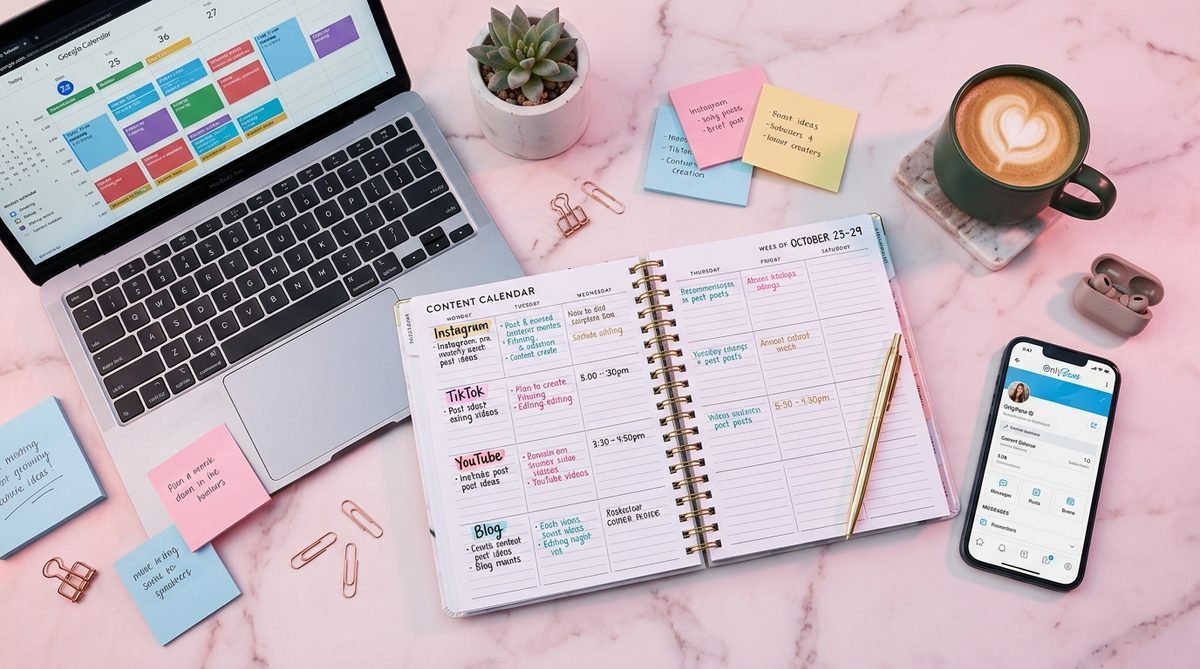
A weekly content calendar transforms your posting plan from an abstract idea into an actionable system. Below is an example OnlyFans content schedule that balances feed posts, stories, PPV, and engagement across a seven-day week. Adapt the specifics to your niche and audience, but keep the underlying structure.
| Day | Feed Post | Story | PPV / Messages | Notes |
|---|---|---|---|---|
| Monday | Photo set (3-5 images) | Behind-the-scenes teaser | - | Start the week strong with fresh content |
| Tuesday | Short video clip (30-60s) | Poll or Q&A | - | Engagement day to boost interaction |
| Wednesday | Photo (single or duo) | - | PPV message to all subscribers | Mid-week revenue push |
| Thursday | Video (1-3 min) | Countdown or teaser for weekend | - | Longer-form content for variety |
| Friday | Photo set (themed) | Casual update | PPV to top spenders | Target engaged fans before the weekend |
| Saturday | Lifestyle or candid photos | Weekend story series | - | Lighter, more personal content |
| Sunday | - | Recap or teaser for next week | Custom content fulfillment | Batch production day + rest |
Notice that every day has at least one touchpoint with your audience, whether it is a full feed post, a story, or a PPV message. Sunday is intentionally lighter on new feed content because it doubles as a production day where you can batch-create content for the week ahead. This kind of structure removes the daily stress of figuring out what to post and replaces it with a simple, repeatable system.
Your calendar does not need to be rigid. Adjust it based on what your analytics tell you works best. If your audience is most active on Thursday evenings, that might be the ideal slot for your premium PPV drop instead of Wednesday. The point is to have a framework that you refine over time, not a fixed rulebook that never changes.
Need Help Building Your Content Calendar?
JP Management creates personalized posting schedules for every creator we work with, complete with content themes, PPV timing, and growth targets. Let our team handle the strategy while you focus on creating.
Batch Production: Create More in Less Time
One of the biggest reasons creators fall behind on their posting schedule is that they try to create content on the same day they post it. This approach is exhausting and unsustainable. The solution is batch production: dedicating one or two focused sessions per week to creating all (or most) of your content in advance.
Here is how batch production works in practice. Pick one or two days per week as your production days. On those days, set up your space, get ready, and shoot multiple content pieces back to back. A single two-hour session with good lighting and a few outfit changes can produce enough photos and short videos to cover an entire week of feed posts.
The key to effective batching is variety within each session. Change your outfit, location (even different rooms count), and content style between sets. Shoot photo sets and video clips during the same session. This way, even though everything was produced on the same day, it looks fresh and varied when posted throughout the week.
After your production session, spend 30 to 60 minutes organizing and lightly editing the content. Sort it into folders by day, write captions, and queue everything for posting. Many creators find that Sunday afternoon and Wednesday evening work well as production days, but choose whatever fits your personal schedule.
Batch production also reduces decision fatigue. Instead of waking up every morning wondering what to create, you start the day knowing exactly what to post because it is already produced and ready. This mental clarity alone makes the practice worthwhile, even before considering the time savings.
Best Times to Post on OnlyFans
Timing matters. Posting when your subscribers are most active increases the chances that your content appears near the top of their feed and gets immediate engagement. While optimal times vary depending on your specific audience, broad data from managed accounts reveals clear patterns.
Weekday evenings (6 PM to 10 PM in your audience's time zone) are consistently the highest-engagement windows. This is when most people are done with work, relaxing at home, and browsing their phones. If you can only post once a day, aim for this window.
Late night (10 PM to 1 AM) is another strong slot, particularly for more explicit or premium content. Engagement and willingness to purchase PPV content tends to increase during late evening hours.
Weekend mornings (9 AM to 12 PM) perform well for lifestyle and casual content. People are in a relaxed mood, scrolling through their phones, and more likely to engage with lighter, more personal posts.
Avoid posting during typical work hours (9 AM to 5 PM on weekdays) for most audiences, as engagement rates drop significantly. The exception is if your subscriber base is heavily international, in which case you should analyze your subscriber demographics and adjust accordingly.
The most reliable way to find your best posting times is to experiment. Post at different times over a two-week period and track engagement metrics such as likes, comments, tips, and PPV open rates. Once you identify your peak windows, lock them into your content calendar.
Tools to Stay Organized
Maintaining a consistent OnlyFans posting plan requires organization. Here are the tools and systems that top-performing creators rely on to stay on track:
Google Calendar or Apple Calendar works for basic scheduling. Create a dedicated calendar for your OnlyFans content plan and block out production days, posting times, and PPV drops. Set reminders 30 minutes before each posting slot so nothing slips through the cracks.
Notion or Trello are popular for creators who want a more visual planning experience. You can build a content board with columns for each stage: ideas, in production, ready to post, posted. Drag cards between columns as content moves through your pipeline.
Google Sheets or Excel is a straightforward option for creators who prefer spreadsheets. Build a weekly grid similar to the table above, fill it in each Sunday during your planning session, and check off items as you post them throughout the week.
Cloud storage (Google Drive, Dropbox, or iCloud) is essential for organizing your content library. Create a folder structure by week and content type so you can quickly find the right file when it is time to post. Backing up your content also protects you from device failures.
OnlyFans scheduling feature allows you to queue posts in advance directly on the platform. After a batch production session, upload your content for the week and schedule each post for its designated time slot. This is the closest thing to a fully automated posting system available on OnlyFans.
The specific tool matters less than the habit of using it consistently. Pick one system, commit to it for at least a month, and adjust from there. The goal is to remove friction between creating content and getting it in front of your subscribers on time.
How JP Management Helps with Content Planning
Building and maintaining an effective content schedule is one of the services that sets professional OnlyFans management apart from going solo. At JP Management, content planning is a core part of what we do for every creator we work with.
When you join our roster, your dedicated account manager works with you to build a customized posting plan based on your niche, your audience demographics, and your personal capacity for content production. We do not use cookie-cutter templates. Your schedule is designed around the times and content types that drive the best results for your specific page.
Our team handles content strategy, scheduling, and performance tracking so you can focus on what you do best: creating. We analyze your engagement data weekly, identify trends, and adjust your posting plan accordingly. If a particular content format is outperforming others, we shift your schedule to capitalize on it. If engagement dips on certain days, we restructure.
Beyond scheduling, our professional chatting service ensures that your subscribers receive timely, personalized responses that complement your content drops. Pairing fresh content with active, engaging conversations is one of the most effective strategies for maximizing both retention and PPV revenue.
The result is that our managed creators spend less time worrying about when and what to post, and more time producing great content and enjoying the income it generates. If you want to see how our approach compares to managing everything yourself, read our breakdown of OnlyFans earnings and what separates high-performing creators from the rest.
Common Scheduling Mistakes to Avoid
Even with a solid content calendar in place, creators frequently make scheduling mistakes that undermine their results. Here are the most common pitfalls and how to avoid them:
Posting too much at once. Flooding your feed with five posts in a single hour and then going silent for three days is worse than posting nothing at all. It overwhelms subscribers and leaves you with nothing to share later. Space your content out evenly throughout the week.
Ignoring analytics. Your posting plan should evolve based on data, not guesswork. Track which content types, posting times, and themes generate the most engagement and revenue. If you are not reviewing your metrics at least weekly, you are flying blind.
Making every post a sales pitch. If every piece of content is a PPV teaser or a request for tips, subscribers will feel like they are being sold to constantly. Balance revenue-driving content with free value that makes your subscription feel worthwhile on its own.
Neglecting stories and engagement content. Feed posts are important, but stories and interactive content (polls, Q&As, casual updates) are what create the feeling of a personal connection. Subscribers who feel connected to you are far less likely to cancel and far more likely to spend on PPV and tips.
Not planning for breaks. Burnout is real, and it derails more content schedules than anything else. Build buffer content into your plan so you can take a day or two off without your page going dark. Having two to three days of pre-scheduled content in reserve at all times gives you breathing room when life gets hectic.
Copying another creator's schedule. What works for a fitness creator with 10,000 subscribers will not necessarily work for a lifestyle creator with 500. Your posting plan should be tailored to your niche, your audience, and your production capacity. Use frameworks like the one in this guide as a starting point, then customize based on your own data and experience.
Start Building Your Posting Plan Today
An OnlyFans posting plan is not a luxury for top creators. It is a fundamental tool that every serious creator needs in order to grow. Whether you are in your first month or your first year, the steps in this guide give you everything you need to build a schedule that keeps content flowing, subscribers engaged, and revenue growing.
Start with the weekly calendar template above, adapt it to your niche and capacity, and commit to following it for at least one month before making major changes. Track your results, learn what resonates with your audience, and refine your approach over time. Consistency compounds, and the creators who post with intention are the ones who build lasting income on the platform.
If you want expert support with your content strategy, learn how to get started with a professional management team that handles the planning so you can focus on creating.
Let JP Management Handle Your Content Strategy
Our managed creators earn an average of $11,000+ per month with personalized posting plans, professional chatting, and dedicated account management. Stop guessing and start growing with a team behind you.